How to Get a Free Kimi K2.5 API Key and Use It with OpenClaw
MoonshotAI's Kimi K2.5 is one of the most capable open-source models available right now, and NVIDIA offers free API access to it through their build platform. Combined with OpenClaw, you can run a fully autonomous AI agent on Telegram, Discord, or Slack powered entirely by Kimi K2.5, at no model cost.
This guide walks you through getting the API key and wiring it up, whether you use Clawdtopia or run your own OpenClaw instance.
Step 1: Get Your Free NVIDIA API Key
NVIDIA provides free hosted access to Kimi K2.5 via build.nvidia.com.
- Log in at build.nvidia.com
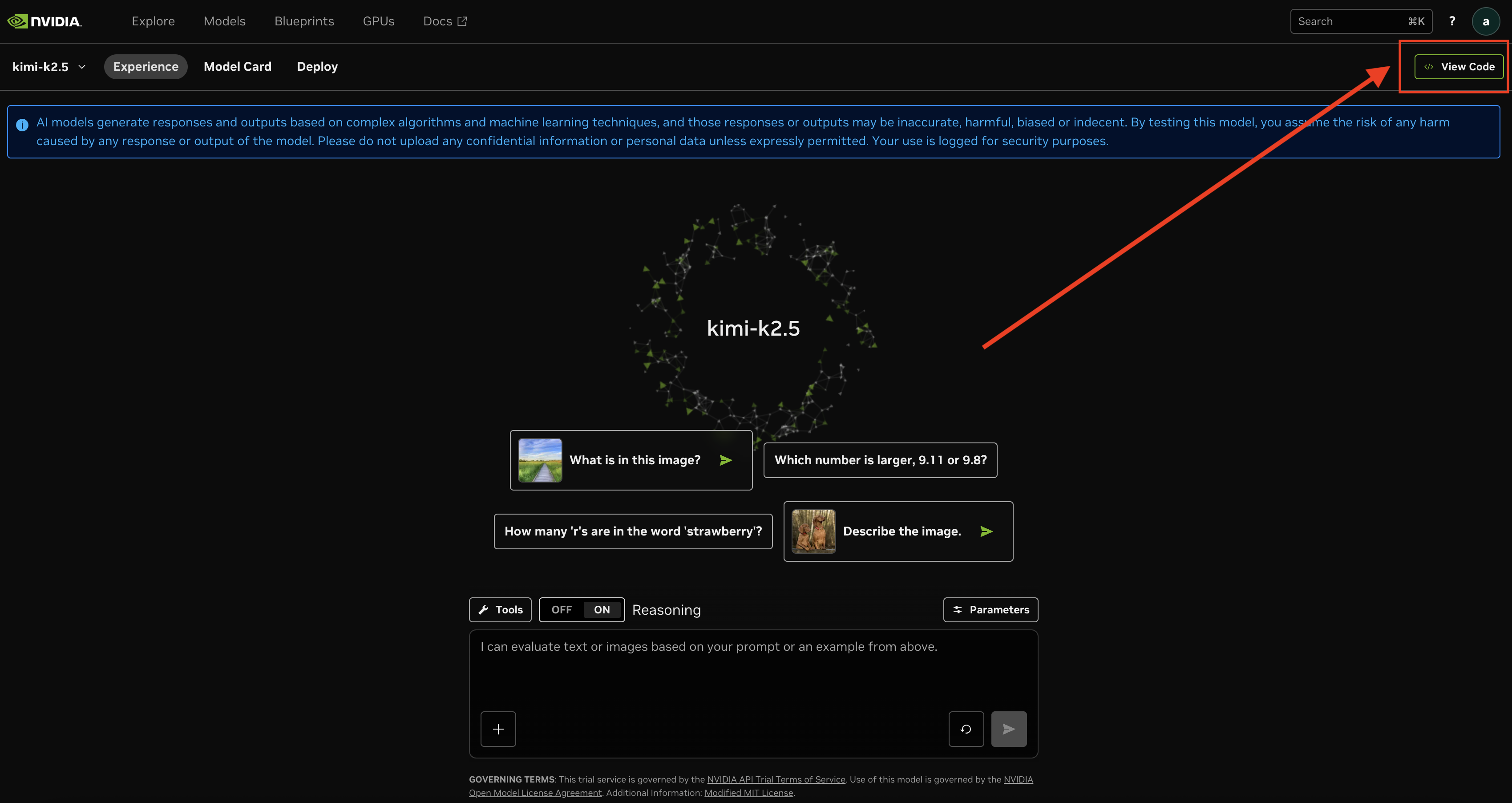
- Go to the Kimi K2.5 model page
- Click View Code in the top right corner
- In the code panel that opens, click Generate API Key
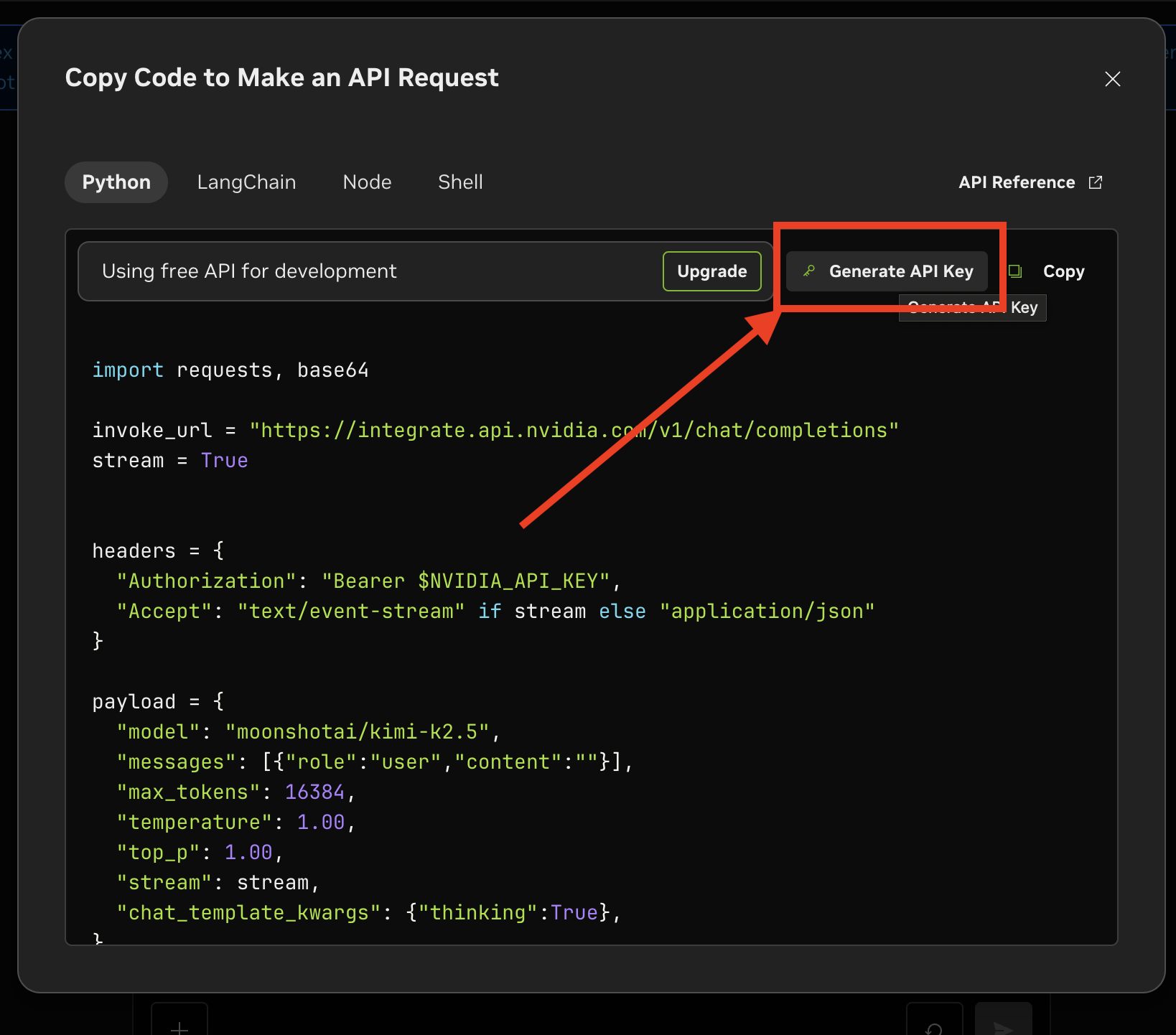
- Copy your key, it will look like
nvapi-...
Keep it somewhere safe. You'll need it in the next step.
Option 1: Deploy via Clawdtopia (Recommended)
The fastest way to get an OpenClaw agent running with Kimi K2.5 is through Clawdtopia. No server setup, no config files, just fill in a form.
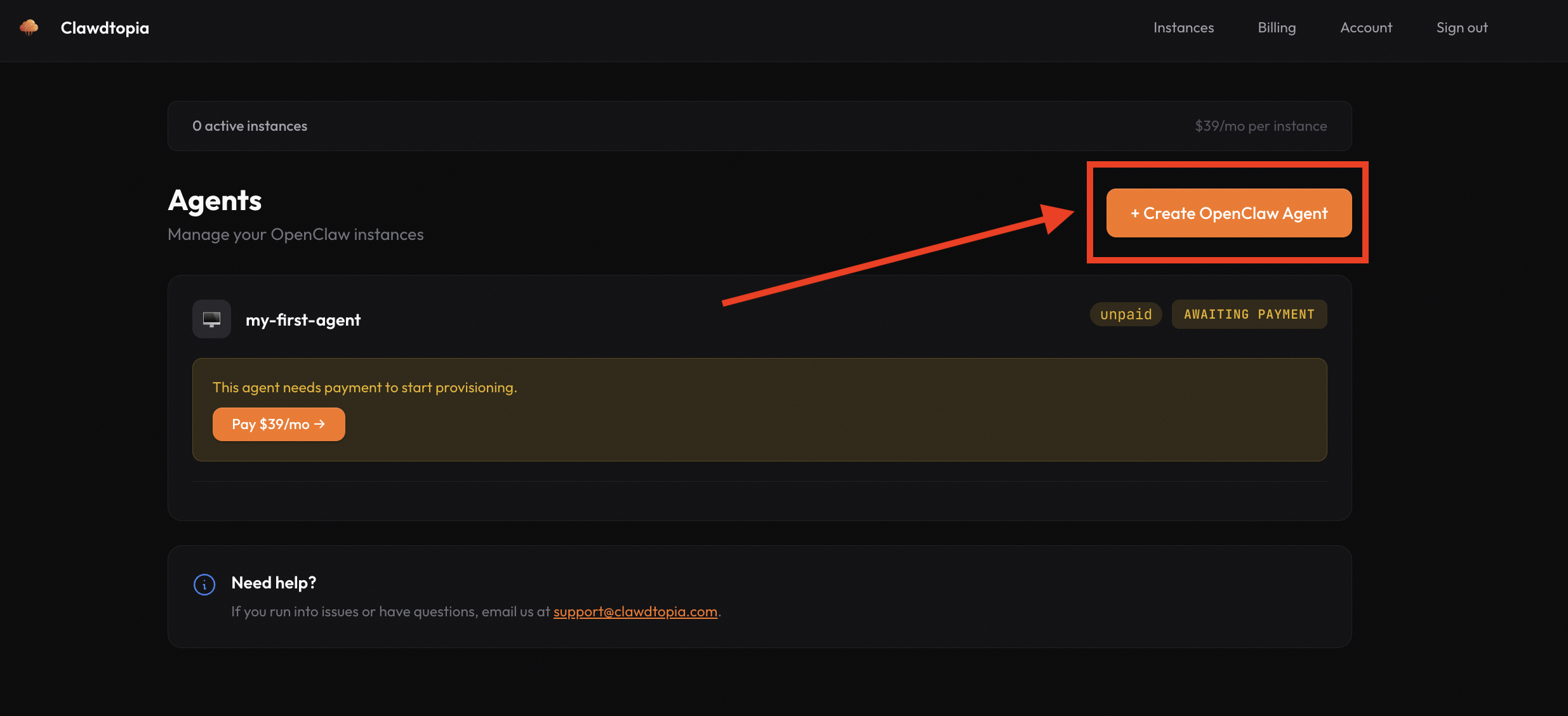
- Log in at clawdtopia.com and click + Create OpenClaw Agent
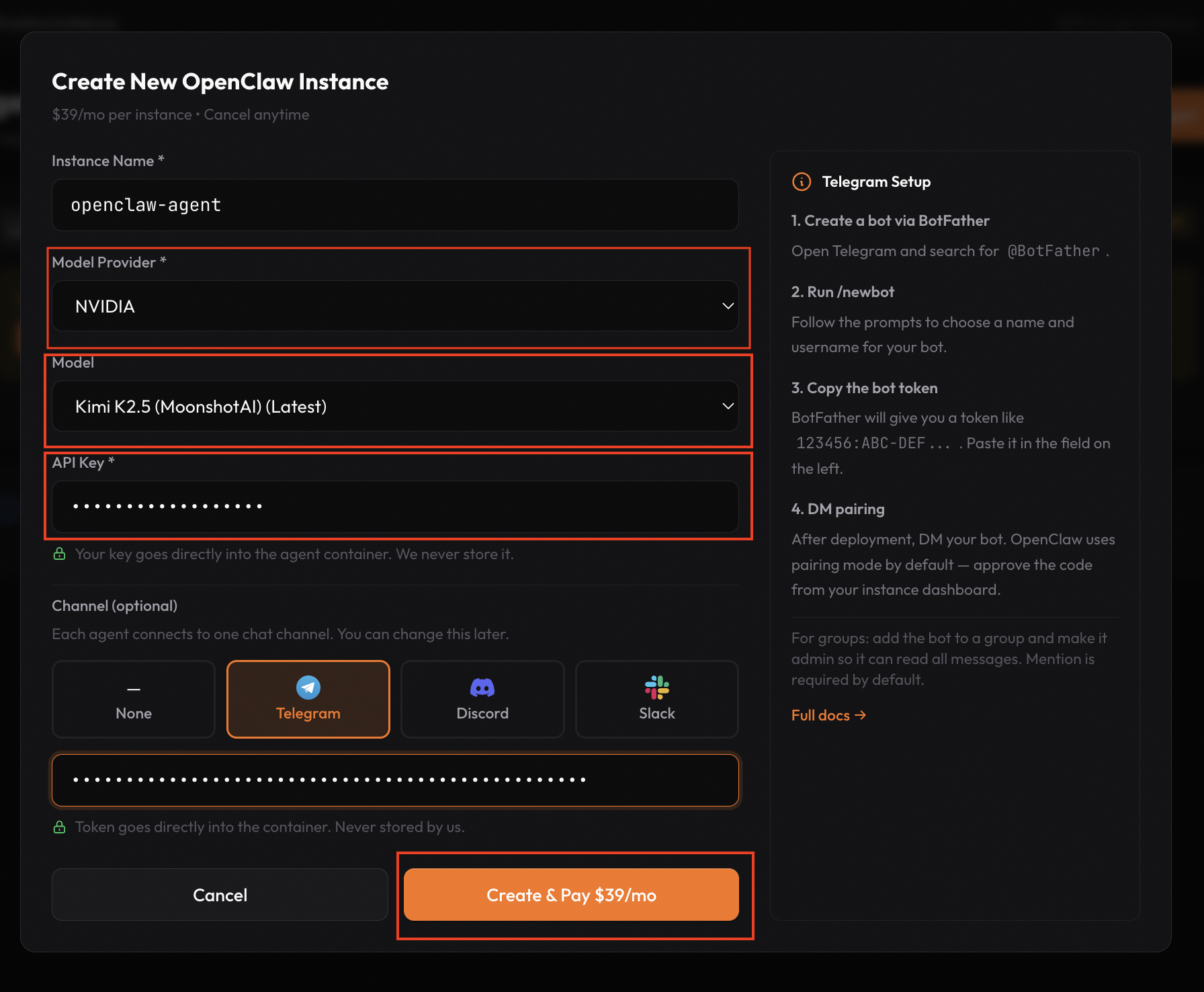
- Fill in the form:
- Model Provider: NVIDIA
- Model: Kimi K2.5 (MoonshotAI) (Latest)
- API Key: paste your
nvapi-...key
- Optionally select a channel (Telegram, Discord, or Slack) and paste your bot token
- Click Create & Pay $39/mo
Your agent will be provisioned automatically with Kimi K2.5 ready to go.
Option 2: Self-Hosted (Manual Config)
If you already have your own OpenClaw instance running, add the NVIDIA provider block to your ~/.openclaw/openclaw.json:
{
  "env": { "NVIDIA_API_KEY": "nvapi-..." },
  "models": {
    "providers": {
      "nvidia": {
        "baseUrl": "https://integrate.api.nvidia.com/v1",
        "api": "openai-completions"
      }
    }
  },
  "agents": {
    "defaults": {
      "model": { "primary": "nvidia/moonshotai/kimi-k2.5" }
    }
  }
}
Then restart the gateway to apply the changes:
kill -SIGUSR1 1
Or via the OpenClaw CLI:
openclaw models set nvidia/moonshotai/kimi-k2.5
Why Kimi K2.5?
Kimi K2.5 is MoonshotAI's flagship model, strong at reasoning, coding, and long-context tasks with a 131k context window. The NVIDIA-hosted version gives you:
- Free API access via NVIDIA NGC
- OpenAI-compatible endpoint, so it works with any tool that speaks the OpenAI API format
- No rate limit surprises for typical agent workloads
For an autonomous agent use case like OpenClaw, it's an excellent choice, especially while the free tier lasts.
Managed vs Self-Hosted: Quick Comparison
| Self-Hosted | Clawdtopia | |
|---|---|---|
| Setup time | 15–30 min | ~5 min |
| Monthly cost | VPS cost only | $39/month |
| Maintenance | You handle it | Fully managed |
| NVIDIA provider support | Manual config | Built-in |
| Best for | Devs who want full control | Devs who want it just working |
Get Started
Ready to run an AI agent powered by Kimi K2.5?
Grab your free NVIDIA API key at build.nvidia.com and deploy your agent at clawdtopia.com in minutes.
Related posts
How to Secure Your OpenClaw Deployment (And What Most People Get Wrong)
42,000+ exposed OpenClaw instances were found by security researchers in early 2026. Here's exactly what a secure deployment looks like, and the mistakes that put thousands of users at risk.
Why Self-Hosting OpenClaw Is Harder Than It Looks (And What to Do Instead)
Self-hosting OpenClaw seems simple until you hit memory errors, broken integrations, security CVEs, and constant maintenance. Here's what most tutorials don't tell you.
How to Connect OpenClaw to Telegram (Self-Hosted vs Managed)
A complete guide to connecting OpenClaw to Telegram, whether you want to self-host on your own VPS or use a managed platform like Clawdtopia.
Ready to try Clawdtopia?
Deploy your OpenClaw agent in minutes. No server setup required.
Get started free →